
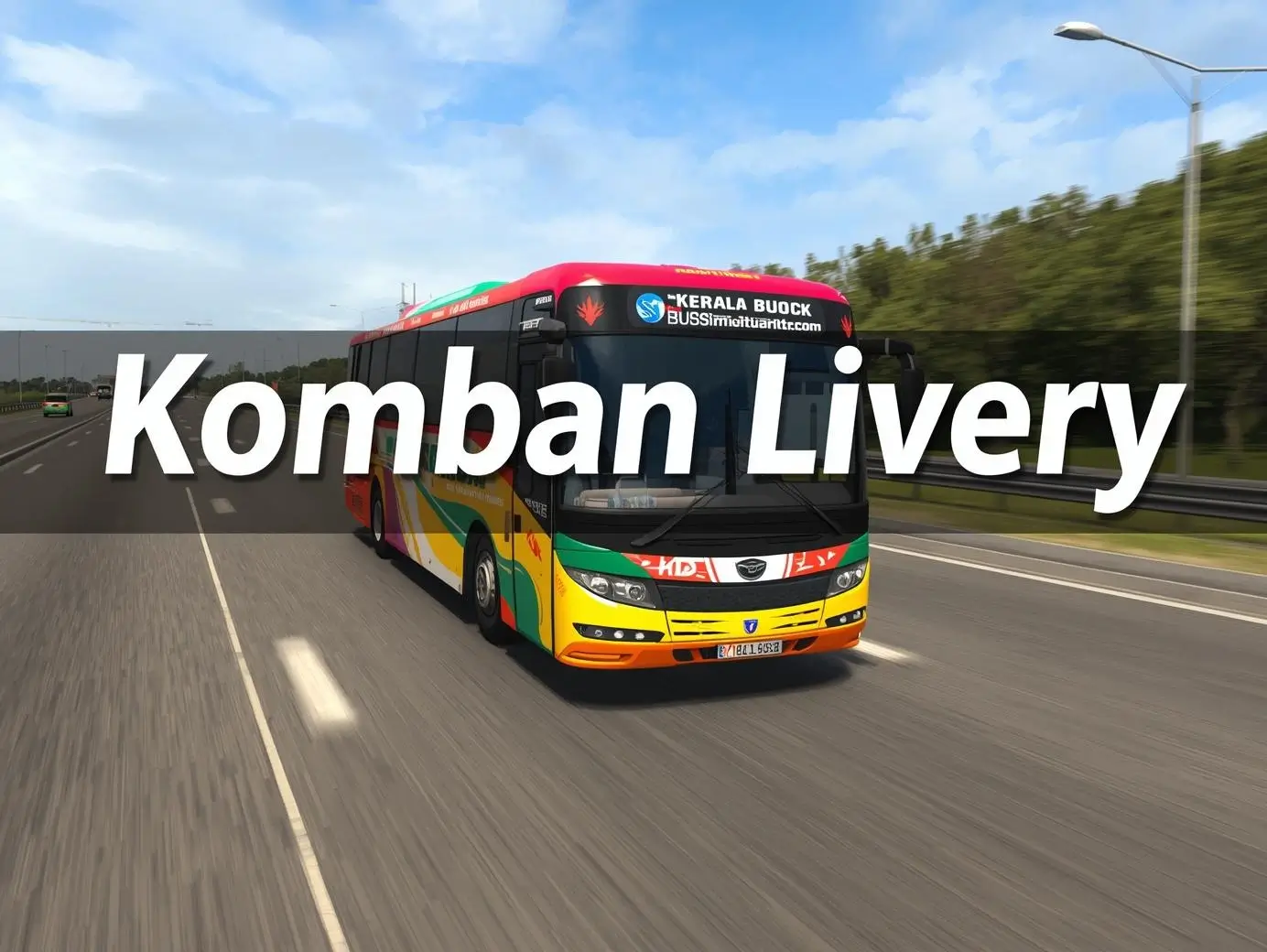
Komban Bus Skin & Livery Download for Bus Simulator Indonesia (BUSSID)
Tap on the button below to start download your Komban Bus Skin & Livery Bus Simulator Indonesia
If you want a clean Kerala-style bus look in Bus Simulator Indonesia, Komban livery is one of the best options right now. It looks sharp, realistic, and works well even on mid-range phones.
This guide shows what it looks like, how to install it, and how to fix common issues.
What Is Komban Bus skin & Livery in BUSSID
Komban livery is a custom bus skin inspired by Kerala private buses. It changes how your bus looks inside the game.
You get:
- Bright color schemes
- Clean decals
- Realistic text styling
- Better visual depth during gameplay
Many players use it to make gameplay feel closer to real road scenes.
How Komban Livery Looks in Gameplay
This livery stands out because of its detail. You notice it most during turns and traffic stops.
Key visual points:
- Sharp edges and clean paint finish
- Better reflection in daylight mode
- Strong contrast in night mode
- Clear text visibility even at distance
It looks best on highways and long routes where lighting changes often.
How Komban Livery Looks in Gameplay
Who Should Use Komban Livery
This livery works for most players, but here’s a quick breakdown.
Best for:
- Players who like realistic Indian bus designs
- Users who play long routes
- Medium to high-end devices
Works on low-end devices if:
- You lower graphics settings
- You avoid heavy traffic mode
If your game lags, reduce shadows and texture quality.
How to Install Komban Bus Skin in BUSSID
Follow these steps. Keep it simple.
Step-by-step:
- Download the Komban livery file
- Open BUSSID
- Go to Garage
- Select your bus
- Tap “Livery”
- Choose “Load Livery”
- Select the downloaded file
Done. Your bus will update instantly.
Common Problems and Fixes
These issues happen often. Fix them fast.
Livery Not Showing
- Check file format. Use .PNG
- Reload the game
- Try another bus model
File Not Detected
- Move file to Downloads folder
- Avoid renamed files
- Re-download if corrupted
Black Texture Bug
- Lower graphics settings
- Restart the game
- Use a lighter version of the livery
Performance Tips for Smooth Gameplay
Even a good livery can lag if settings are wrong.
Use these tweaks:
- Turn off reflections
- Reduce traffic density
- Keep shadows low
- Close background apps
These small changes improve frame rate fast.
Real Gameplay Experience
From actual gameplay use:
- Steering feels smoother on long routes
- Night driving looks better with this livery
- Traffic scenes feel more realistic
- Best experience comes with stable FPS
It does not affect physics, but it improves immersion.
Is It Safe to Use Komban Livery
Yes, if you download from trusted sources.
Safety tips:
- Avoid mod APK bundles
- Use clean image files only
- Do not grant unnecessary permissions
Stick to livery files, not modified game versions.